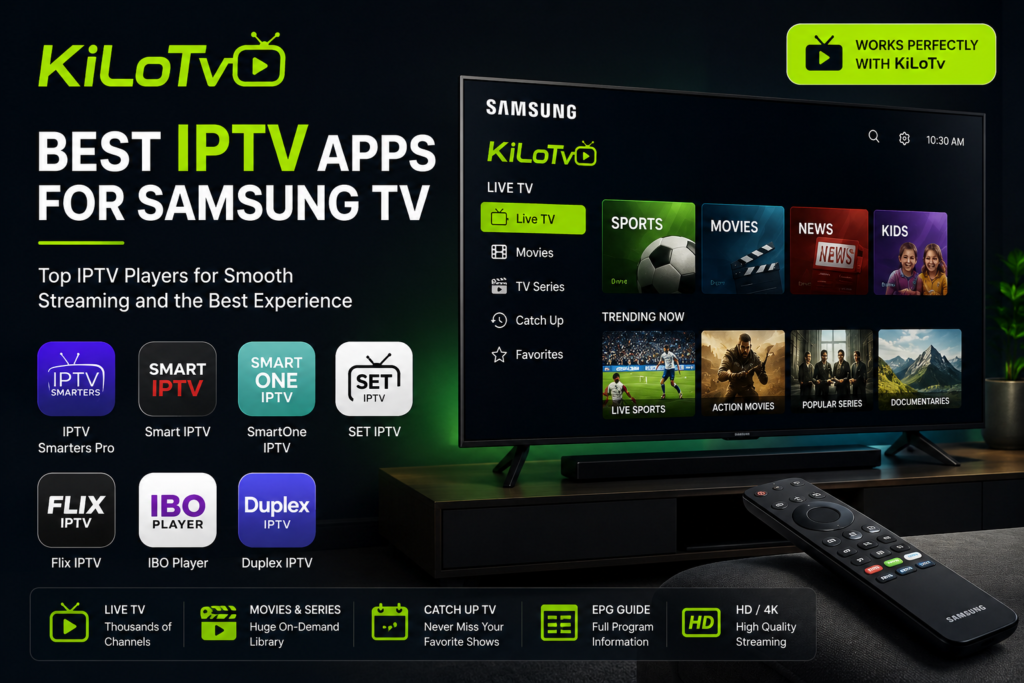
Samsung Smart TVs have become one of the most popular choices for home entertainment, and pairing them with KiLoTv can provide an outstanding streaming experience. However, choosing the right IPTV application is just as important as having a quality IPTV subscription. The best IPTV apps for Samsung TV offer smooth navigation, fast channel loading, support for live TV, movies, TV series, and an intuitive interface that makes streaming enjoyable. In this guide, we’ll explore what makes a great IPTV app and how to choose the best one to use with KiLoTv.
Why Choosing the Right IPTV App for KiLoTv Matters
Not all IPTV applications deliver the same performance. A high-quality IPTV player can significantly improve your viewing experience by providing faster loading times, better playback, and a more organized interface.
When using KiLoTv, the right IPTV app allows you to access thousands of live TV channels, Video on Demand content, TV series, and Electronic Program Guide (EPG) information with ease. Whether you’re watching sports, movies, or international channels, a reliable player ensures everything runs smoothly.
The best IPTV apps are designed to work efficiently on Samsung Smart TVs while offering simple navigation with the TV remote.
Best IPTV Apps Compatible with KiLoTv
Several IPTV players are excellent choices for Samsung Smart TVs and work perfectly with KiLoTv.
Some of the most popular options include:
- IPTV Smarters Pro
- Smart IPTV (SIPTV)
- SmartOne IPTV
- SET IPTV
- Flix IPTV
- IBO Player
- Duplex IPTV
These applications support both M3U playlists and Xtream Codes API, allowing users to configure their KiLoTv subscription quickly and start streaming within minutes.
Each app offers a slightly different interface, but they all focus on delivering a smooth and reliable IPTV experience.
Features to Look for in an IPTV App for KiLoTv
Choosing the best IPTV application isn’t only about appearance. The most reliable apps include several features that improve everyday streaming.
Look for features such as:
- Fast channel switching
- Electronic Program Guide (EPG)
- Favorites management
- Catch-Up TV support
- Video on Demand compatibility
- Multi-language interface
- Search function
- Stable playback
- Automatic playlist updates
These features make it much easier to browse content and enjoy everything included with your KiLoTv subscription.
Performance and Streaming Quality
One of the biggest advantages of pairing KiLoTv with a premium IPTV player is improved performance.
Modern IPTV applications are optimized for Samsung Smart TVs, allowing channels to load quickly while reducing buffering. Many apps also support Full HD and 4K streaming, giving viewers a high-quality entertainment experience.
Performance also depends on your internet connection, but choosing a well-developed IPTV player helps ensure stable playback during live sports, movies, and TV shows.
Applications that receive regular updates generally offer better compatibility with the latest Samsung TV software and continue improving over time.
Easy Setup with KiLoTv
Most IPTV applications for Samsung TV are very easy to configure.
After installing your preferred IPTV player, simply enter the credentials provided with your KiLoTv subscription. Depending on the application, you’ll usually connect using either:
- Xtream Codes API
- M3U Playlist URL
Once your information is entered, the application automatically imports your live TV channels, movies, TV series, and EPG data.
Within a few minutes, your Samsung Smart TV is ready to stream.
Tips for the Best Streaming Experience
To get the most from KiLoTv, consider following a few simple recommendations.
Use a stable internet connection with sufficient speed for HD or 4K streaming. Whenever possible, connect your Samsung TV using an Ethernet cable for greater stability.
Keep both your IPTV application and your Samsung TV firmware updated to benefit from the latest improvements and security updates.
Organize your favorite channels to make navigation faster, and refresh your playlist periodically if your IPTV application offers that option.
These simple habits help deliver a consistently smooth streaming experience.
Why KiLoTv Works Well with Samsung TV
Samsung Smart TVs are known for their excellent picture quality, responsive interface, and reliable performance. Combined with KiLoTv, they create an entertainment solution that is simple to use and suitable for the entire family.
Whether you’re interested in live television, international channels, premium sports, blockbuster movies, or popular TV series, KiLoTv provides access through compatible IPTV applications that are optimized for Samsung devices.
With the right IPTV player installed, browsing channels, searching content, and enjoying on-demand entertainment becomes effortless.
Conclusion
Choosing the best IPTV app for your Samsung TV is essential for getting the best experience from KiLoTv. Applications like IPTV Smarters Pro, SmartOne IPTV, SET IPTV, and IBO Player provide excellent compatibility, smooth navigation, and reliable playback.
By selecting a feature-rich IPTV player and keeping your device updated, you can enjoy stable streaming, fast channel loading, and convenient access to live TV, movies, series, and sports. Pairing KiLoTv with the right Samsung TV application ensures a modern and enjoyable streaming experience every day.
FEATURES THAT DEFINE QUALITY STREAMING?
The world of IPTV has grown rapidly in recent years, and choosing the right IPTV app is just as important as choosing a reliable IPTV service. The best IPTV apps are designed to deliver a smooth, stable, and high-quality viewing experience across multiple devices such as Smart TVs, Android boxes, smartphones, tablets, and PCs. A top-tier IPTV app should support live TV, VOD (Video on Demand), series, catch-up TV, and EPG (Electronic Program Guide). Stability, fast channel loading, and intuitive navigation are essential features that separate high-quality IPTV apps from poorly optimized ones that cause buffering and crashes.
THE BEST APPS FOR A PREMIUM STREAMING EXPERIENCE
The best IPTV apps are designed to give users full control over how they watch live TV, movies, and series, without relying on outdated cable interfaces. Apps such as IPTV Smarters, TiviMate, and XCIPTV are widely recognized for their clean layouts, fast loading times, and professional design. These apps allow users to log in using M3U playlists or Xtream Codes, automatically organizing channels, VOD libraries, and series into clear categories. What makes top IPTV apps stand out is their ability to turn a raw IPTV subscription into a polished, TV-like experience.
FEATURES THAT MAKE THE BEST IPTV APPS STAND OUT?
The best IPTV apps offer much more than basic streaming. Features like favorites, Catch-Up TV, multi-screen support, EPG, and customizable channel lists make navigation easier and more enjoyable. Regular updates, fast channel loading, minimal buffering, and a smooth interface ensure a reliable viewing experience. When paired with a quality IPTV service, the right app delivers seamless entertainment for live TV, movies, series, and sports.
Check What redditors say about KiLoTv here .